Vibecode Playground
Vibecode Editor is a fullstack, web-based IDE built with Next.js and Monaco Editor. It features real-time code execution using WebContainers, AI-powered code suggestions via locally running Ollama models, multi-stack templates, an integrated terminal, and a developer-focused UI for seamless coding in the browser.

🧠 Vibecode Editor – AI-Powered Web IDE
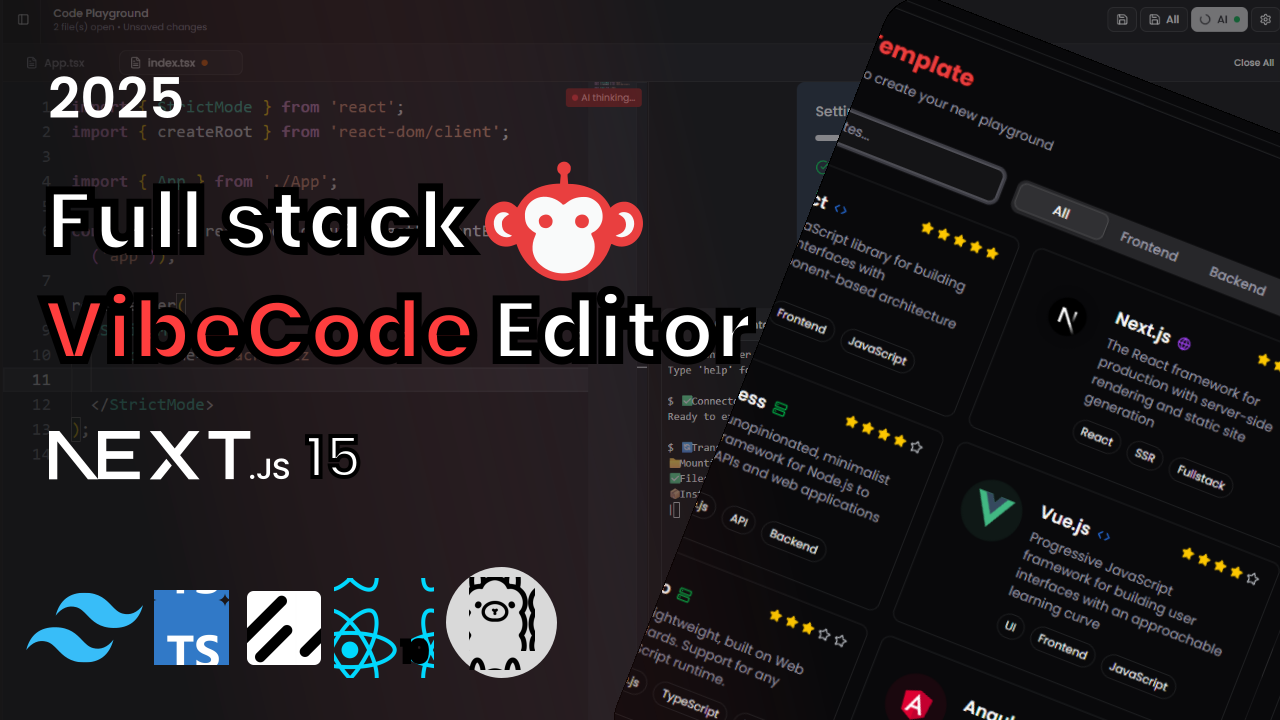
Vibecode Editor is a blazing-fast, AI-integrated web IDE built entirely in the browser using Next.js App Router, WebContainers, Monaco Editor, and local LLMs via Ollama. It offers real-time code execution, an AI-powered chat assistant, and support for multiple tech stacks — all wrapped in a stunning developer-first UI.
🚀 Features
- 🔐 OAuth Login with NextAuth – Supports Google & GitHub login.
- 🎨 Modern UI – Built with TailwindCSS & ShadCN UI.
- 🌗 Dark/Light Mode – Seamlessly toggle between themes.
- 🧱 Project Templates – Choose from React, Next.js, Express, Hono, Vue, or Angular.
- 🗂️ Custom File Explorer – Create, rename, delete, and manage files/folders easily.
- 🖊️ Enhanced Monaco Editor – Syntax highlighting, formatting, keybindings, and AI autocomplete.
- 💡 AI Suggestions with Ollama – Local models give you code completion on
Ctrl + Spaceor doubleEnter. Accept withTab. - ⚙️ WebContainers Integration – Instantly run frontend/backend apps right in the browser.
- 💻 Terminal with xterm.js – Fully interactive embedded terminal experience.
- 🤖 AI Chat Assistant – Share files with the AI and get help, refactors, or explanations.
🧱 Tech Stack
| Layer | Technology |
|---|---|
| Framework | Next.js 15 (App Router) |
| Styling | TailwindCSS, ShadCN UI |
| Language | TypeScript |
| Auth | NextAuth (Google + GitHub OAuth) |
| Editor | Monaco Editor |
| AI Suggestion | Ollama (LLMs running locally via Docker) |
| Runtime | WebContainers |
| Terminal | xterm.js |
| Database | MongoDB (via DATABASE_URL) |
🛠️ Getting Started
1. Clone the Repo
git clone https://github.com/your-username/vibecode-editor.git
cd vibecode-editor
2. Install Dependencies
npm install
3. Set Up Environment Variables
Create a .env.local file using the template:
cp .env.example .env.local
Then, fill in your credentials:
AUTH_SECRET=your_auth_secret
AUTH_GOOGLE_ID=your_google_client_id
AUTH_GOOGLE_SECRET=your_google_secret
AUTH_GITHUB_ID=your_github_client_id
AUTH_GITHUB_SECRET=your_github_secret
DATABASE_URL=your_mongodb_connection_string
NEXTAUTH_URL=http://localhost:3000
4. Start Local Ollama Model
Make sure Ollama and Docker are installed, then run:
ollama run codellama
Or use your preferred model that supports code generation.
5. Run the Development Server
npm run dev
Visit http://localhost:3000 in your browser.
📁 Project Structure
.
├── app/                     # App Router-based pages & routes
├── components/              # UI components
├── editor/                 # Monaco, File Explorer, Terminal
├── lib/                     # Utility functions
├── public/                  # Static files (incl. thumbnail)
├── utils/                   # AI helpers, WebContainer logic
├── .env.example             # Example env vars
└── README.md
🎯 Keyboard Shortcuts
Ctrl + SpaceorDouble Enter: Trigger AI suggestionsTab: Accept AI suggestion/: Open Command Palette (if implemented)
✅ Roadmap
- Google & GitHub Auth via NextAuth
- Multiple stack templates
- Monaco Editor + AI
- WebContainers + terminal
- AI chat for code assistance
- GitHub repo import/export
- Save/load playground from DB
- Real-time collaboration
- Plugin system for templates/tools
- One-click deploy via Vercel/Netlify
📄 License
This project is licensed under the MIT License.
🙏 Acknowledgements
- Monaco Editor
- Ollama – for offline LLMs
- WebContainers
- xterm.js
- NextAuth.js
- 跨 117,000+ 个 skill 搜索
- 通过 CLI 安装:npx findskills
- Claude Code MCP 集成
- 为你的 agent 获取 API key